Check-In & Badging
Staffed vs. Self-Service Event Check-In: How to Choose the Right Setup for Your Event
In this article, we'll cover:
- What staffed and self-service check-in actually look like today
- When a staffed registration desk is the right call
- When self-service kiosks win
- The hybrid setup most mid-size events should run
- A setup-day checklist that works for both
Staffed vs. Self-Service Event Check-In: How to Choose the Right Setup for Your Event
Desk or kiosk? It's a policy choice, not a tech choice
Every planner has stood behind a registration desk at 7:45 a.m. watching the line grow and wondered whether it's time to let attendees check themselves in, or time to put one more person on the desk. Both are fair instincts. Self-service kiosks clear a lobby fast and free up your team, and a staffed desk catches things a screen can't. Two teams we work with chose a staffed desk this year, for very different reasons. One three-person association team went back to a staffed desk this year after self-service let a few attendees walk off with badges they hadn't paid for. A 12-person team running a 2,000-person summit has never wanted kiosks at all, because the greeting at the desk is part of the product. Neither team has a slow line. Either way, you'll be running kiosks. Attendees now expect to walk up to a station and have their badge print in seconds, and on-demand badge printing is the baseline at any event of size. What's left to decide is who taps the screen, and the right check-in model depends on what your event needs to control and what it needs to communicate. Here's how to decide.First, what are we actually comparing?
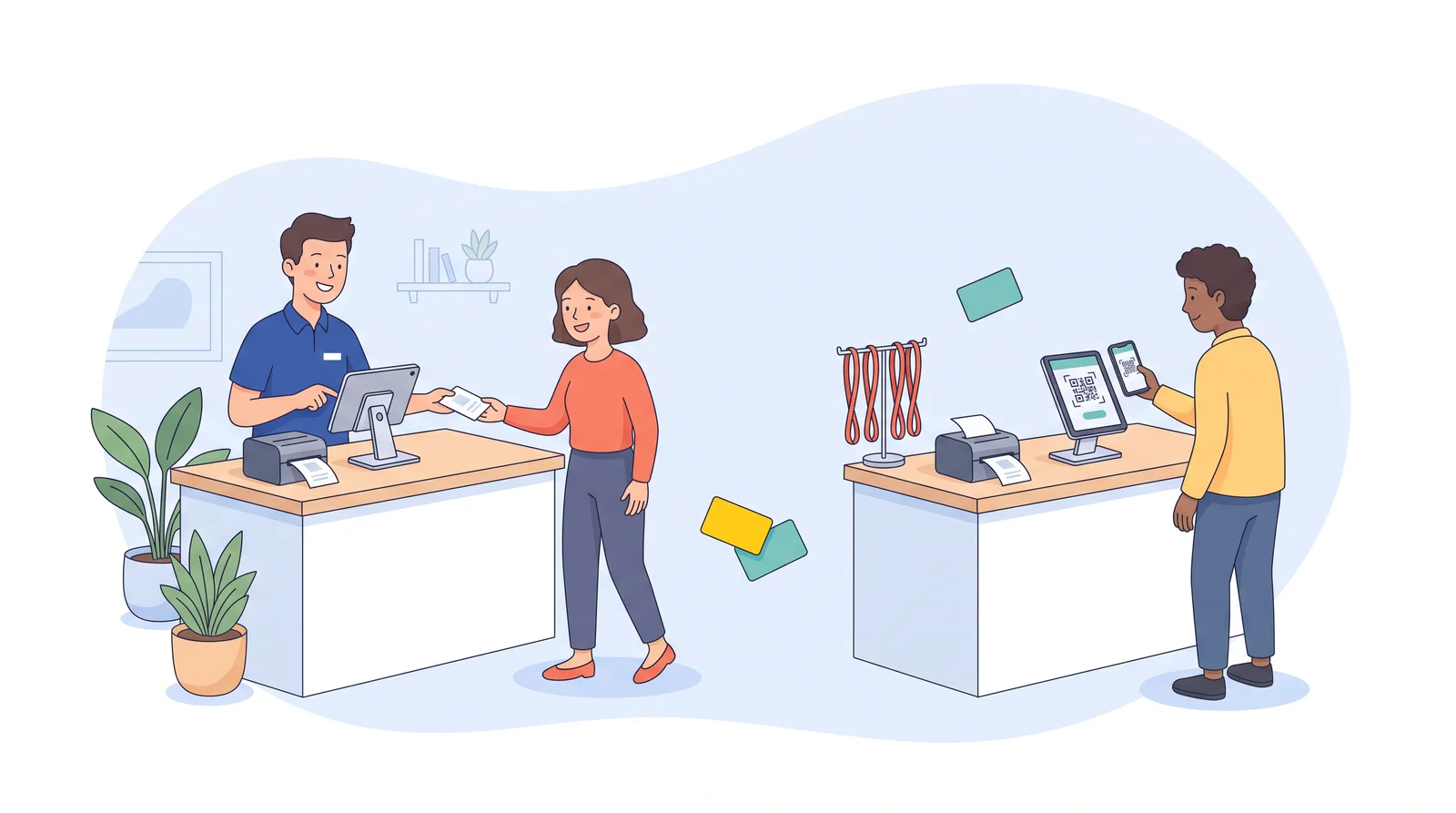
Ten years ago this was a real trade-off. Staffed check-in meant a table of pre-printed badges in alphabetical trays, and self-service meant a kiosk that could only handle the simplest cases. You picked speed or control. On-demand badge printing erased most of that gap. Today both models usually run on the same hardware: an iPad and a thermal badge printer at each station. The only thing that changes is who taps the screen.- Staffed check-in: A team member greets the attendee, finds or types their name, confirms details, and the badge prints in a few seconds. The attendee never touches the device.
- Self-service check-in: The attendee walks up to the same station in kiosk mode, searches their own name or scans a QR code from their confirmation email, confirms their details, and takes their badge.
When a staffed registration desk wins
A staffed desk earns its labor cost in three situations. If your event has even one of them, start here.1. The badge is worth something
If you sell tiered passes, run member-only sessions, or hand out drink tickets and workshop access with the badge, the badge is a credential, not a name tag. A self-service station will print one for anyone who can type a name that's in the system. That's exactly what happened to one three-person association team we work with. After a few people walked up to a self-service kiosk, typed in a name, and left with a badge they hadn't paid for, the team moved to a staffed desk for this year's summit: show ID, staff types the name, badge prints. The line still moved fast, and they're keeping it.2. The greeting is part of the event
Some events are built on relationships, and the registration desk is the first handshake. One 12-person team runs a 2,000-attendee industry summit with a staffed desk on purpose: staff greet each person by name, point them to the right lanyard, hand over tickets, and share the day's details while the badge prints. The person who leads their setup puts it simply: it's a high-touch check-in, and that's the experience they want.3. Your data isn't clean
All-caps names, three spellings of the same company, a registrant who used a nickname. Both teams above still spend prep time on this. A staffed desk catches the leftovers on the spot; a kiosk prints whatever's in the record.💡 Pro tip: A staffed desk doesn't have to mean a slow desk. Both teams report that with on-demand printing, staff fall into a rhythm quickly: while one badge prints, they're already greeting the next person. On the busiest morning, the association's line was short enough that people stood and chatted.
When self-service check-in wins
None of that means kiosks are a mistake. They're the right call when the things a staffed desk protects don't apply to you.Everyone paid the same, or nobody paid
Internal company meetings, free community events, single-tier conferences. If a badge in the wrong hands costs you nothing, you don't need a human verifying who's holding it. Let people scan their QR code and go.Volume outruns your staff
When 1,500 people arrive in the same 30 minutes and you have four volunteers, the math is simple. Eight self-service stations running in parallel will clear the lobby faster than four staffed ones, and the attendees who need help can step to a single staffed station on the end.Attendees are already verified
If registration required a corporate email, an approved application, or a member login, the verification already happened online. The badge is just confirmation. Kiosks handle that cleanly, and the QR code in the confirmation email means most people never type anything.Your team needs to be somewhere else
Small teams with a lot of moving parts sometimes need the desk to run itself so the people can run the event. That's a legitimate reason, and self-service check-in is often how a short-staffed team gets through the morning, as long as someone can still walk over when a station needs a reprint.⚡ Practical Advice: If you go self-service, lock the kiosk to QR-code scanning only and leave name search off. It removes the "type any name you can think of" problem almost entirely, and it's faster anyway.
The hybrid most events should actually run
 For most conferences between 300 and 3,000 people, the answer isn't either/or. It's self-service for the easy cases, staffed for everything else, side by side.
A typical layout looks like this:
- Two to four self-service stations for pre-registered, fully paid attendees with a QR code. This is 70 to 85 percent of your crowd on day one.
- One or two staffed stations for walk-ups, name changes, group registrations, VIPs, speakers, exhibitors, and anyone whose badge needs a human to look at it first.
- One floater who watches the self-service line, reprints a torn badge, and pulls anyone who looks stuck over to the staffed desk before they hold up the line.
✨ Expert Advice: Decide your model before you design your badge. A staffed desk can print member status, session access, and meal choices right on the badge because someone verified them at the desk. A self-service badge should carry less, because nobody did.
The setup-day checklist that saves both models
Whichever way you go, the failures that actually ruin a morning are the same, and they all show up on setup day if you look for them.- Print a test badge from every iPad to every printer. Not one station. Every one. The 12-person team above does this at every summit, and it's the reason their 7:30 rush has never found a surprise. A station paired to the wrong printer, or not paired at all, is a two-minute fix on setup day and a 20-minute line the next morning.
- Scan a test badge with the lead retrieval app. If exhibitors are scanning QR codes with lead retrieval, confirm the code on the printed badge actually scans. A template can show a code on screen that doesn't make it onto the badge stock.
- Run your data cleanup before you load it, not after. Fix capitalization and company names in the registration export. Nobody wants to be the person whose badge says "ELI LILLY AND COMPANY INC."
- Decide who handles walk-ups and how. If registration and badging live in different systems, adding someone on site means re-keying them. Know the steps and who owns them before the first walk-up appears.
- Stock more than you think. Badge stock, sleeves, and lanyards, plus a spare printer if your event is big enough to justify it. A reprint that takes ten seconds is fine. A reprint that can't happen is not.
Final Takeaway
The kiosk versus desk debate is really a question about what your badge means. If it opens doors someone paid for, or if the handshake at the desk is part of why people come, staff it. If it's a name tag for a room full of people who already belong there, let them scan and go. Most events need some of each, and because on-demand printing runs both from the same station, you don't have to get it perfectly right in advance. Pick the mix that protects what matters, test every station the day before, and change the mix when the line tells you to.Frequently Asked Questions
Is self-service check-in faster than a staffed desk?
Per attendee, roughly the same once badges print on demand. Self-service wins on total throughput because you can run more stations with the same staff. A staffed desk wins when a lot of attendees need something done to their record, since staff resolve it in one step instead of sending people to a help line.How do I stop people from taking badges that aren't theirs at a kiosk?
Turn off name search and require the QR code from the confirmation email, keep paid or tiered attendees on a staffed station, and station a floater near the kiosks. If the badge controls access to anything with a price on it, use a staffed desk with ID check, as the association team above now does.How many check-in stations do I need?
A common rule of thumb is one station per 150 to 250 attendees arriving in the peak hour, with one extra staffed station for exceptions. If most of your crowd arrives in the same 30 minutes, lean toward the higher count and open more stations for that window only.Can I switch a station between staffed and self-service during the event?
Yes, when both modes run on the same hardware. Many teams staff every station for the opening rush and flip some to kiosk mode once walk-ups taper off and staff are needed elsewhere.Does on-demand badge printing cost more than pre-printing?
Usually yes per badge, but the teams that switch rarely go back. The savings show up in prep time (no stuffing and sorting), fewer wasted badges for no-shows, and reprints that take seconds. The team running the 2,000-person summit says the time saved easily offsets the higher cost.This article was written with the help of AI and edited by humans. Graphics were generated with the assistance of AI.
Bring your next event to life.
See how Expo Pass powers registration, check-in, and engagement from start to finish.
Get a demo