









Event Website Builder

Your event's home on the web, built in an afternoon.

Need a polished public event page without hiring a web team? Expo Pass lets you build your event website from prefabbed blocks, host your registration form, and swap designs as your event moves from announcement to showtime to wrap-up.

An event website? Published.

Chris T., CEO
“Expo Pass is the most user-friendly and intuitive event management platform we have used. It is robust yet approachable.”
– Chris T., CEO

Event Website Builder & Event Management Platform Trusted by 500+ Organizations

Google Beck's Zendesk Microsoft Amazon GameStop T-Mobile National Restaurant Association
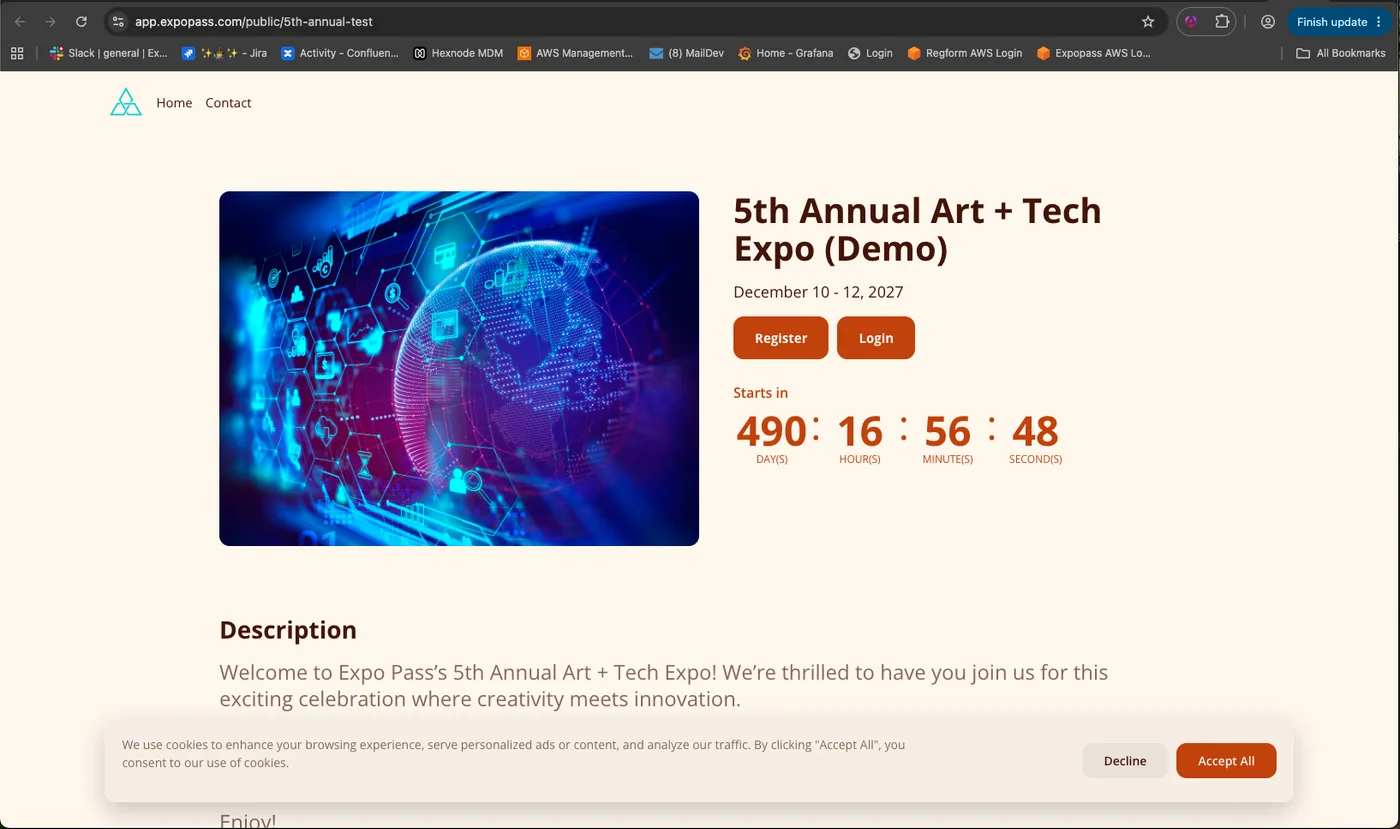
Published public event website built with the Expo Pass event website builder

Pick your blocks. Publish your page. Point everyone there.

Your event deserves better than a PDF and a prayer. With Expo Pass, you assemble a public event page from prefabbed or custom blocks — sessions, speakers, exhibitors, FAQs, links, and a contact form — publish it at a custom URL, and let it host your registration form and serve as the entry hub for attendees logging in to their Expo Pass event features.

Build With Blocks, Not Code

Assemble your page from event-ready pieces.

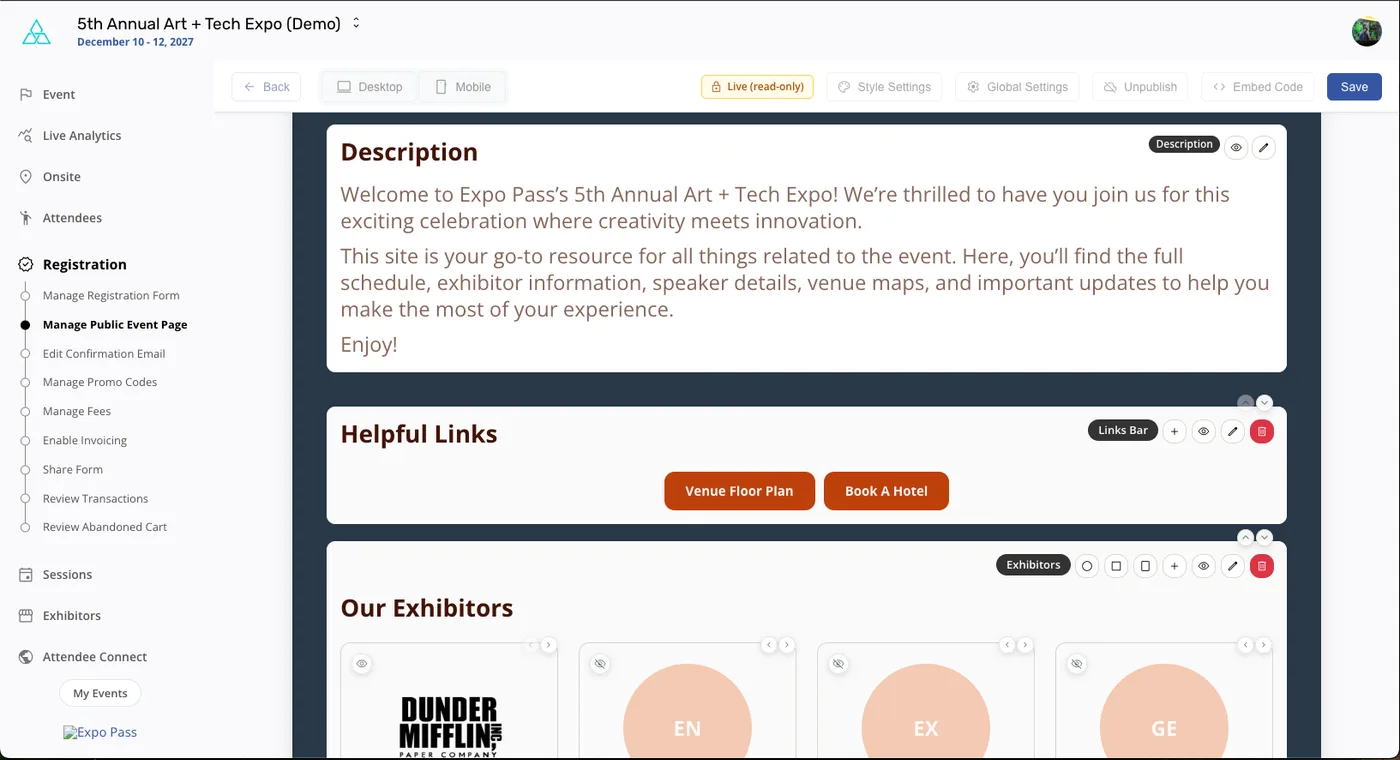
  • Prefabbed blocks for sessions, speakers, exhibitors, features, FAQs, helpful links, and a contact form
  • Add custom blocks when your event needs something unique
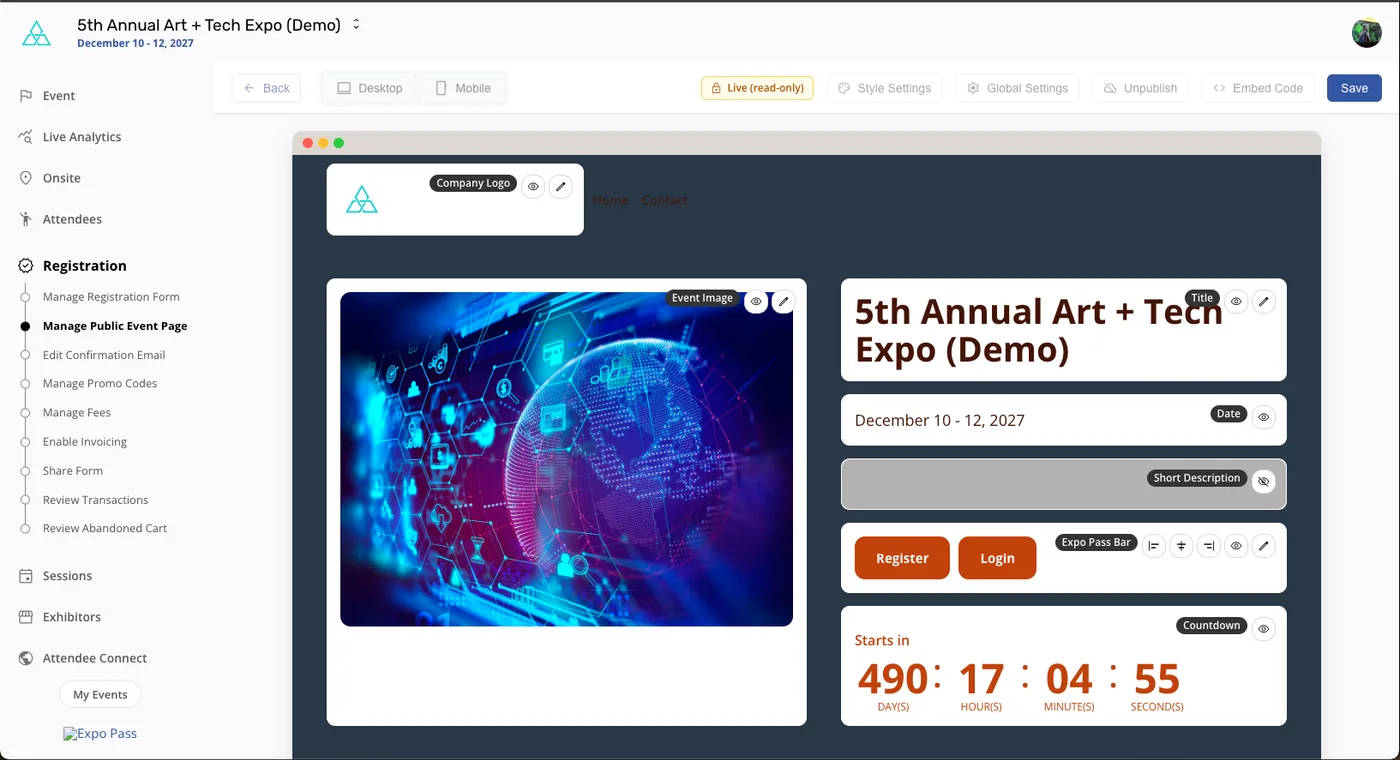
  • Edit inline — reorder, show or hide, and restyle blocks right on the page
  • Desktop and mobile previews so it looks great on every screen
  • Style and global settings keep colors, fonts, and branding consistent
Build With Blocks, Not Code
One Page, Every Phase of Your Event

Designs that evolve from save-the-date to wrap-up.

  • Create multiple page designs for pre-event, during-event, and post-event phases
  • Switch the live design whenever you're ready — same link, new look
  • Countdown timers, hero images, and register buttons ready out of the box
  • Customizable URL slug keeps your event link clean and on brand
  • Publish, unpublish, or embed your page whenever you choose
One Page, Every Phase of Your Event
Registration Built In, Attendees Welcomed

One link from first click to event day.

  • Your page hosts your Expo Pass registration form — no redirects to third-party tools
  • Attendees register and pay at the same link you promote everywhere
  • The page is the entry hub for attendees to log in to Expo Pass attendee features
  • Sessions, speakers, and exhibitors stay in sync with your live event data
Registration Built In, Attendees Welcomed

What Expo Pass customers have to say.

“Expo Pass has been a game-changer for our events! The streamlined check-in process has been a breath of fresh air, and our attendees have raved about how quick and easy it is.”
– Jamie B., VP Google 5.0 star rating
“Our attendees were impressed by the fact they could print their badges onsite. No need to have hundreds of plastic badges on large tables. We used 3 iPads and 2 printers and it looked really nice and professional.”
– Francois F., Head of Global Events G2 5-star review
“Equipment was so easy to install… Attendees loved the badges and quick registration process. Will definitely be using them for future events!”
– Madison C, Event Manager Google 5.0 star rating

Why an Event Website Builder Matters for Conferences, Trade Shows, and Events

No Web Team Needed

Drag-and-drop blocks and live editing mean anyone on your team can build the page.

Always Up to Date

Session, speaker, and exhibitor blocks pull from your live event data — edit once, updated everywhere.

Registration Built In

Your event page hosts your registration form, so promotion and sign-up live at one link.

A Design for Every Phase

Create multiple designs and switch between them before, during, and after your event.

Your URL, Your Brand

Customize your page's URL slug and styling so everything feels like your event.

One Front Door

Attendees use your page as the entry hub to log in to Expo Pass attendee features.

Resources

Related Content

FAQs

How does the event website builder work?

You assemble your public event page from blocks — description, helpful links, sessions, speakers, exhibitors, features, FAQs, and a contact form — using a visual editor with desktop and mobile previews. Edit content inline, reorder or hide blocks, adjust style and global settings, and publish when you're ready. No code, no separate hosting.

What content blocks are available?

Prefabbed blocks cover the essentials: event details and countdown, description, hero images, helpful links, sessions, speakers, exhibitors, feature highlights, FAQs, and a contact form — plus custom blocks when you need something specific. Blocks like sessions, speakers, and exhibitors pull from your live event data, so the page stays current as your event takes shape.

Can the page change as my event gets closer?

Yes — that's built in. Create multiple page designs and use them for different phases: a teaser page before registration opens, a full site during the event, and a thank-you or replay page afterward. Switch the live design whenever you're ready.

Does the page handle registration?

Yes. Your event website hosts your Expo Pass registration form, so attendees discover the event, register, and pay at the same link you've been promoting. Countdown timers and register buttons are ready out of the box.

Can I customize the web address?

Yes — customize your page's URL slug so the link is clean, memorable, and on brand for your event, making it easy to share in emails, social posts, and printed materials.

What do attendees use the page for after registering?

The page doubles as your event's entry hub: attendees return to it to log in to Expo Pass attendee features. One link on your promotion covers discovery, registration, and event-day access.

Ready to Give Your Event a Home Online?

Build a polished public event page with blocks, host your registration, and welcome attendees — all on the platform that runs the rest of your event.

Get started now