Event Technology
Meet Your Event’s New and Improved Mobile App Experience from Expo Pass

In This Article
- Expo Pass launches an updated Mobile App that offers a sleek native app plus a no-install Web App to give attendees instant, hassle-free access.
- Benefits to a Web App, which eliminate barriers like download issues and app-store approvals on locked-down devices.
- Discover the best of both worlds: Native app plus a dynamic web option that’s easy to customize, sponsorship-friendly and always up to date.
Meet Your Event's New and Improved Mobile App Experience from Expo Pass
We’ve got exciting news:
Expo Pass has officially launched a brand-new upgrade to your event’s Mobile App! Our New Mobile App Experience offers greater flexibility, easier access, and a fresh, modern interface. Alongside our existing iOS and Android native apps, your event now also comes with its very own Web-based Mobile App (or “Web App”), designed as a streamlined and seamless solution for all your attendees — no downloads, no app stores, no hassle. Find out why Web Apps are a must-have for events nowadays, and some of the great new features ours has to offer 👉
What are “Web Apps” and Why Are They on the Rise?
For years, native apps were the standard in the conference and corporate event world. But with improvements in technology and shifting expectations, web-based apps are quickly becoming the smarter choice for many events. Here’s why more planners and companies are embracing this trend:-
- No installation required. No-hassle. Attendees can access everything right from their phone’s browser. That’s a huge plus for anyone using work-issued devices or dealing with strict IT restrictions, and removes the barrier that many events face: getting attendees to actually go through the process of installing the app.
- Better Wi-Fi and Cellular at venues. Event spaces are more connected than ever, so relying on a browser-based app is more practical than it used to be. For most attendees, a stable connection is no longer a concern.
- Easier updates and customization. Old-fashioned native apps require updates and approvals to go through the Apple and Google App Stores. With a Web App, updates and customizations, such as your event’s branding, are quicker and easier.
Native vs. Web App: What’s the Difference?
Both versions of the Expo Pass Mobile Event App offer a polished, mobile-first event experience that’s ready to meet the needs of your attendees and exhibitors. Here’s a quick comparison of the two platforms: Feature Native App (iOS & Android) Web App (Browser-Based) How it’s accessed Download from the App Store or Google Play Open in any browser, no download needed Works offline? Yes, works without internet No, requires an internet connection Ease of use Familiar app experience once installed Instantly available, ideal for quick access Device restrictions May not be allowed on some corporate or government devices Accessible from any internet-connected device Sponsorship options Standard in-app placements New increased visibility for sponsorship & branding Home screen experience Static layout with basic event info New customizable Event Homepage! Add images, video, and more Push Notifications Yes, but requires additional steps Yes, but requires additional steps* Magic Link Yes, but requires extra steps to download and install app first Yes, attendees can login with a single click via emailed Magic Link *Push notification support for Expo Pass Web App coming soon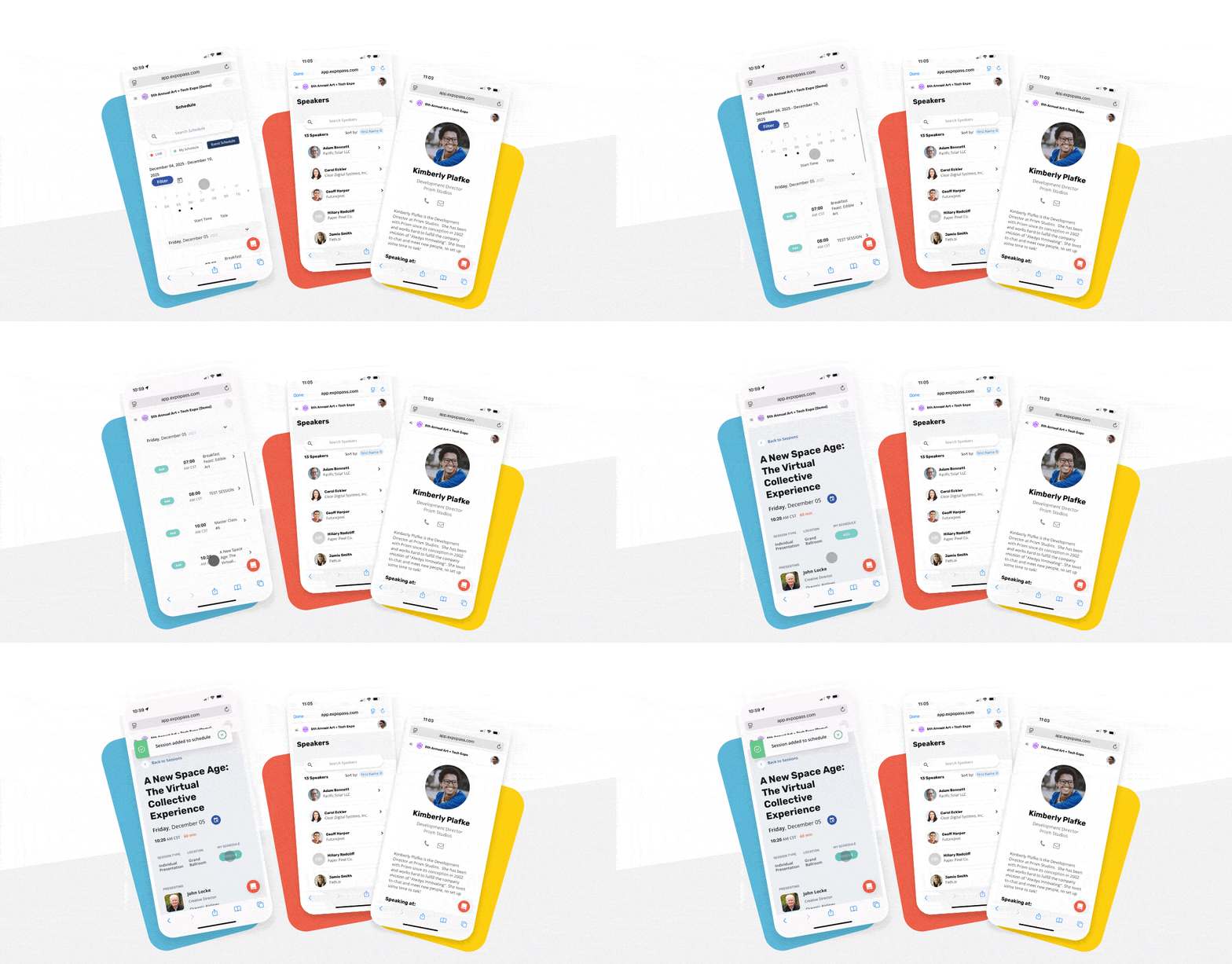
What Makes the New Expo Pass Web App Special?
This isn’t just a simplified version of the native mobile event app. We built our new Web App to give attendees and organizers a more accessible, customizable, and sponsor-friendly experience. Here’s what stands out:-
- More room for sponsorships Promote your partners with upgraded ad placements that are front and center, such as banner ads and session sponsorships. It’s a great way to drive extra value and visibility.
- A dynamic home page you can control Add featured videos, schedule highlights, and custom messaging. You can even change the layout from “coming soon” to “live” as your event kicks off, and even “post event” (and preview how it will all look to attendees ahead of time).
- Works for everyone, everywhere Whether someone’s on a locked-down work device or just doesn’t want the hassle of adding an app (and remembering to remove it after your event is over), they can access the full experience in seconds.
- All the core features you expect Schedules, speaker bios, session feedback, and more—all packed into a sleek, responsive interface. And yes, Magic Links still make logging in effortless.
Keep reading
Event Technology
How to Get Your Event Tech Through IT Security Review
IT security review stalls more event tech purchases than budget does. What reviewers ask for, how to prepare your packet, and how much time to build in.
Event Technology
How to Write the 2027 Event Tech Line Item So Procurement Actually Approves It
Procurement rarely rejects event tech budgets. It rejects lump sums it cannot compare. How to split the line item, what an all-in-one quote hides, and the RFP questions that separate vendors.
Event Technology
MCP for Events: What the Model Context Protocol Is and How Event Teams Are Using It
MCP lets AI assistants like Claude and ChatGPT connect to your event software and act on it. Here's what it is, how event platforms use it, and what to ask before you connect an AI agent to your event.
Bring your next event to life.
See how Expo Pass powers registration, check-in, and engagement from start to finish.
Get a demo