In this article, we’ll cover:
- What a run of show really does, and where most templates fall short
- The nine sections every event team needs on show day
- How to make your run of show usable in the moment, not just on paper
- Why planning documents and execution tools aren’t the same thing
 Download Run of Show Template
 The Event Day Run of Show: Why One Document Decides Whether Your Event Runs or Unravels
Ask any seasoned event pro what keeps the team aligned on event day, and you’ll hear the same answer: the run of show. It’s the master timeline, the source of truth, the thing your AV lead refreshes on their phone between cues. When it’s good, the whole team moves in sync. When it’s sloppy, people freelance, and freelancing on event day is how things quietly go sideways.
The trouble is that most run-of-show templates you’ll find online are basically glorified agendas. A column for time, a column for task, maybe a column for owner. That’s not a run of show. That’s a wish list with timestamps.
A real run of show does more. It assigns clear ownership, flags dependencies so the team can see the chain reaction when something slips, maps communications to attendees, and has pre-decided contingencies for the problems that actually happen. Let’s walk through what that looks like in practice.
1. Start with the cover sheet, not the timeline
Before the timeline, you need a cover sheet, sometimes called the “event info” tab, that anyone on the team can open and orient themselves in 10 seconds. Event name, date, venue, doors open, program start and end, expected attendance.
But don’t stop there. Put the key contacts (event lead, production, venue, AV, catering, security, medical) right on the cover sheet with phone numbers. Then add the critical logistical info: WiFi password, emergency assembly point, nearest hospital, radio channels.
When a volunteer runs up to you at 10:47 a.m. asking where first aid is, you don’t want to be flipping between tabs.
2. Build the timeline with ownership and dependencies
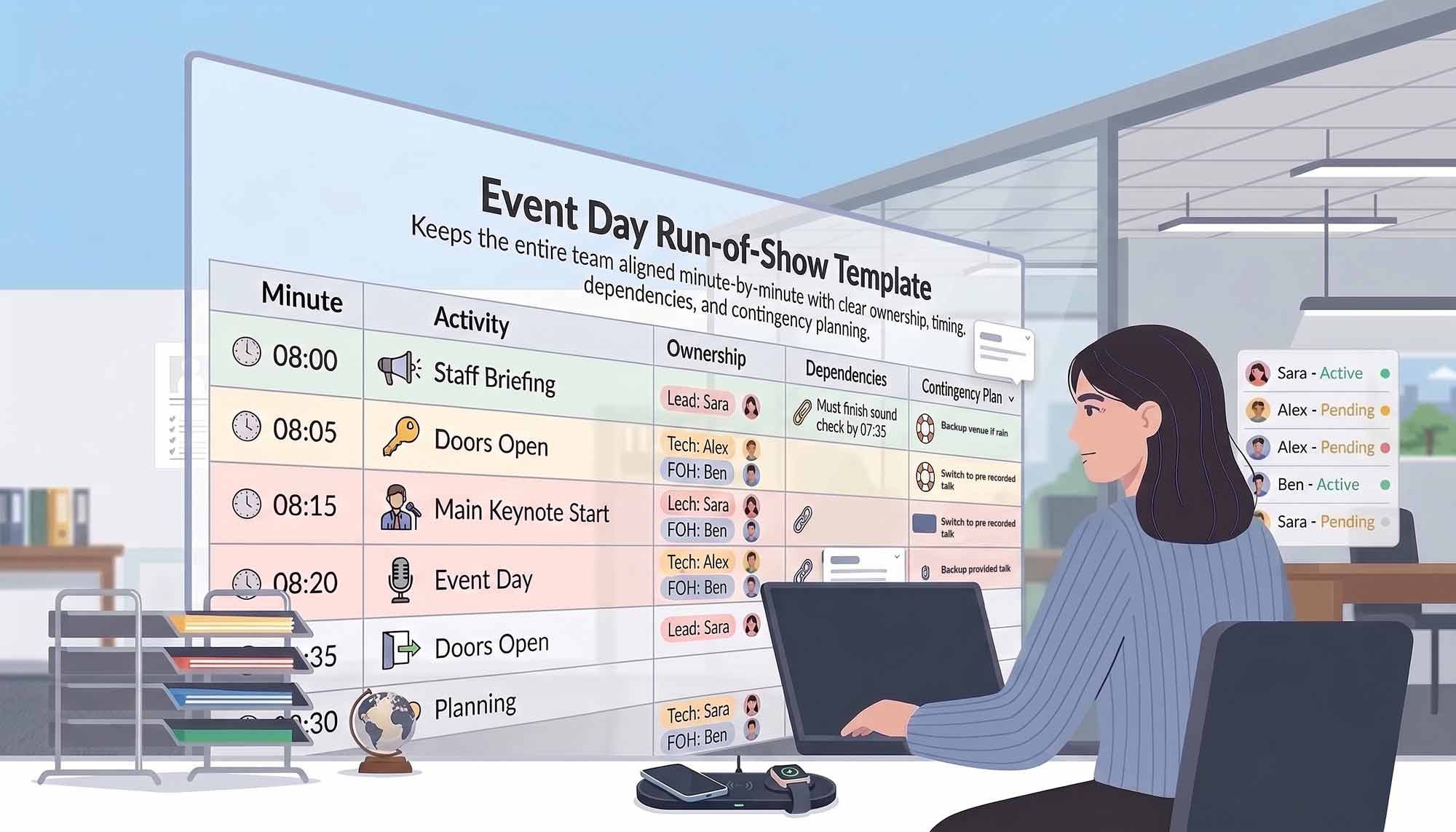
The heart of a run of show is the minute-by-minute timeline. At minimum, your columns should include start time, end time, duration, phase, task or cue, owner, supporting team, location, dependencies, and status.
The two columns people most often skip, and regret, are dependencies and status. Dependencies flag what must be complete before a task can start, which is invaluable when something slips and you need to see the cascade. Status is what lets the team track progress live (Not Started, In Progress, Complete, Delayed) so anyone can glance at the sheet and know where things stand.
💡 Pro tip: Mark only 5–8 items on your entire run of show as critical path, the things that cannot slip without cascading failure. If everything is marked critical, nothing is. The critical-path star forces prioritization when you’re triaging in real time.
3. Build in explicit buffer time
Rookie mistake: packing the timeline so tightly that the first delay eats every minute of slack. Veteran move: schedule explicit buffer rows labeled as such.
A 15-minute buffer after rehearsal, a 10-minute buffer after the panel Q&A, a 5-minute buffer before doors open. These aren’t padding. They’re insurance. Label them clearly so the team doesn’t treat them as free time to fill.
4. Map communications to the timeline
Most run-of-show templates leave out the single most visible part of your event: what you’re telling attendees, and when.
Add a communications column mapping each timeline moment to its attendee-facing message. The app push that goes out at 12:50 letting people know breakout locations. The signage change at 2:30 directing people to the reception. The emcee’s verbatim welcome script at 10:45. When comms live inside the run of show, they actually happen on cue instead of being remembered three minutes late.
5. Give the stage manager their own view
The person calling your show doesn’t need the full run of show. They need a cue sheet, a stripped-down minute-by-minute view focused on four things: mic cues, music cues, slide advances, and any lines that must be said verbatim (sponsor acknowledgments, safety announcements, legal language).
A good cue sheet includes:
- Time and a cue number (Q1, Q2…)
- Type (Mic, Music, Lights, Slide, Script, Standby)
- Action, what happens
- Verbatim line when one exists
- Standby before, typically 60 seconds before Go
Print it. Hold it in your hand. Cue sheets are one of the few event documents that genuinely belong on paper.
6. Track load-in and load-out like a manifest
This is where events quietly bleed money. Gear walks off. Cases get left behind. Vendors swear they returned something they didn’t.
Keep a simple load-in/load-out manifest: time, direction (in or out), item, quantity, from/to, vehicle or truck, received-by initials, and condition notes. The initials column is your audit trail, the difference between “we lost a mic” and “we know exactly when it was last signed for.”
7. Separate your vendors from your internal team
Your internal team roster and your vendor list serve different purposes. The vendor schedule needs columns for Certificate of Insurance status, arrival and departure windows, dock or parking assignment, and on-site contact.
⚡ Practical Advice: A vendor without a current COI shouldn’t be on site, full stop. Track COI status in your vendor sheet with color coding (green for on file, red for missing) and chase down the reds before show day. You don’t want to be doing this at 6 a.m. in a loading dock.
8. Pre-decide your contingencies
Generic contingencies (fire alarm, medical emergency, AV failure) are table stakes. You should have them, and your response plans should name a decision owner so nobody hesitates in the moment. Pre-decided beats improvised, and a shared playbook for handling unexpected challenges during your event keeps the whole team aligned when something breaks.
But the real value comes from contingencies specific to your event. What happens if the keynote speaker’s flight is cancelled? If the client’s logo is printed wrong on the step-and-repeat? If a demo requires a product model that hasn’t shipped yet? If your venue becomes unusable four hours before doors?
Ask your team three questions in the week before the event:
- What are the three things most likely to go wrong at this event?
- What’s our single point of failure, the one thing that, if it fails, the whole event fails?
- If the venue became unusable right now, what would we do?
Write down the answers. For more on staying calm when things don’t go to plan, our guide to preparing for the unexpected and keeping your cool on event day digs deeper into the mindset side.
9. Plan the post-event debrief before the event
The final section of a good run-of-show workbook isn’t about event day at all. It’s the post-event debrief template, filled in within 48 hours while memory is fresh.
Structure it around by-the-numbers data (attendance, NPS, budget vs actual), what went well, what went wrong, start/stop/continue, vendor performance, and five concrete action items for the next event. Without this, your team relearns the same lessons every cycle. If you want a head start on the structure, this guide on how to evaluate your event and prepare for the next walks through a full post-event workflow.
The honest limitation: Excel isn’t the right medium for show day
Here’s the thing nobody tells you. A well-built run of show in a spreadsheet is excellent for planning. You can see everything at once, iterate quickly, share with stakeholders, export for archives. But on show day, nobody opens a nine-tab workbook on their phone in a loading dock.
For execution, your team needs something different: role-filtered views, current-time highlighting, tap-to-dial contacts, real-time status updates everyone can see at once. That’s where event technology earns its keep. Top event technology providers, like Expo Pass, connect registration, check-in and badge printing, and attendee communications into a single live system, so the parts of your run of show that are attendee-facing don’t have to be manually orchestrated from a spreadsheet on event day.
The best setup is usually both: plan in the spreadsheet, execute in the app. Build your run of show in detail in the weeks before the event, then let the live systems carry the attendee-facing load on the day itself. Find out more »
Final Takeaway
A run of show isn’t paperwork. It’s the decision-making layer of your entire event day, the document that answers “who’s doing what, when, and what happens if something slips.” Most templates fall short because they treat it as a schedule. Treat it as a coordination system instead, and you’ll find that the chaos of event day starts to feel a lot less chaotic. The goal isn’t a perfect document. It’s a team that never has to ask “wait, what’s happening now?”
Frequently Asked Questions
How far in advance should I start building the run of show?
Start a rough draft three to four weeks out, refine it two weeks out, and lock it seven days before the event. The final 48 hours should be for rehearsal and small tweaks, not structural changes. If you’re still rewriting the timeline the night before, something earlier in your planning process broke down.
Who owns the run of show on event day?
One person, usually the event lead or production lead. They’re the only one authorized to make timeline changes in real time, and every change gets communicated to the team over radio. If three people are editing the document live, nobody knows which version is current.
How detailed should each row be?
Detailed enough that a competent substitute could execute the task if the owner got stuck in traffic. If a row just says “keynote,” that’s not enough. “Emcee introduces keynote speaker from stage right, hands over wireless handheld mic, exits stage left” is closer. Specificity is insurance.
What’s the difference between a run of show and a production schedule?
A production schedule is the full timeline including pre-event build, vendor deliveries, and behind-the-scenes logistics. The run of show is usually a narrower slice: the live event itself, from doors open to load-out. Smaller events often combine them into one document. Larger ones separate them so the attendee-facing team isn’t distracted by load-in details.
Should I share the run of show with speakers and vendors?
Share a filtered version, not the whole thing. Speakers need their slot, their tech check time, their arrival window, and their contact person. Vendors need their arrival and departure, dock assignment, and on-site contact. Giving either group the full document is information overload and creates confusion about who’s responsible for what.